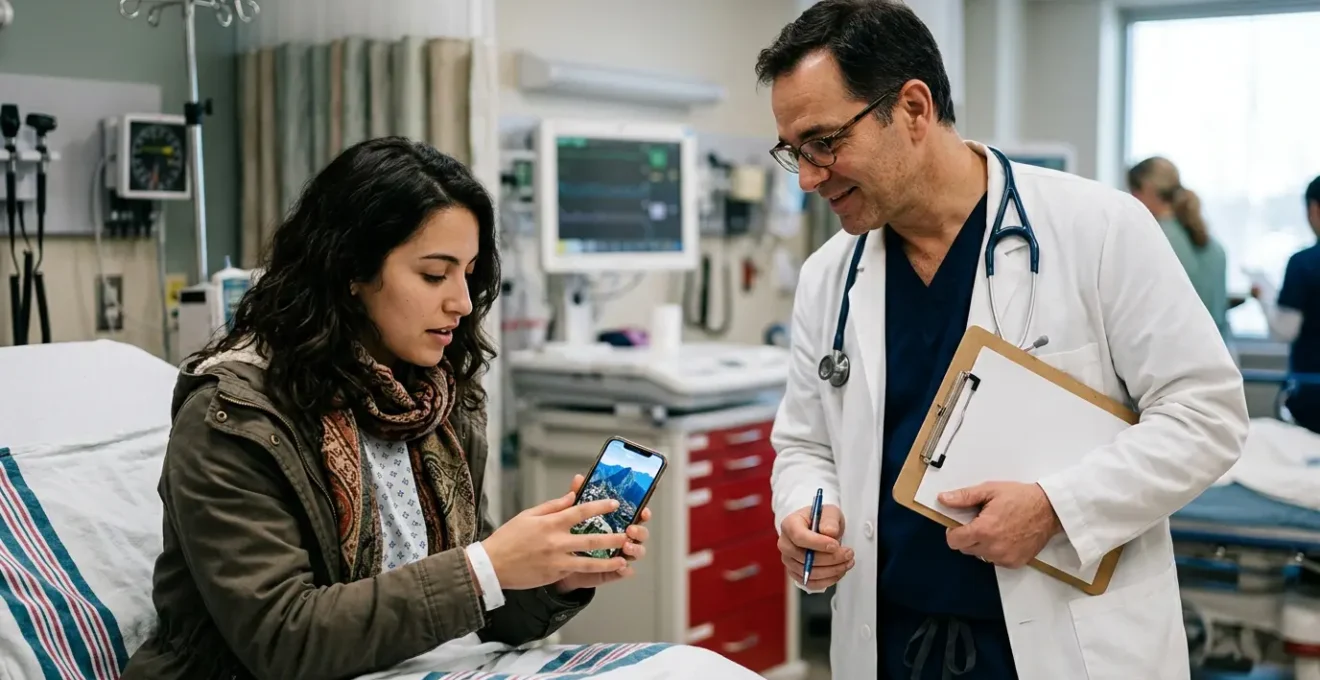
Your basic translation app is dangerously inadequate in a real medical emergency; true survival depends on a pre-planned digital strategy.
- Precise communication requires verified medical phrases and document scanning, not just general AI translation.
- Offline capability isn’t just a feature; it’s a non-negotiable lifeline that must be tested before you travel.
Recommendation: Build your digital medical crisis kit around pre-downloaded, specialized, and redundant tools before you ever leave for the airport.
The searing pain in your chest is new. You’re in a brightly lit but utterly alien hospital corridor, and the only words you understand are the ones on your boarding pass. In a medical crisis abroad, the language barrier shifts from a travel inconvenience to a life-threatening wall. Many travellers believe a simple translation app will be their saviour, relying on the same tool they use to order coffee to explain a complex allergic reaction. They might pack a phrasebook or learn to say “help,” assuming that will be enough.
This approach is a gamble with the highest possible stakes. The generic advice to “download an app” fails to address the brutal realities of an emergency: zero connectivity in a hospital basement, the need to decipher a complex medical history form, or the critical difference between telling a doctor you have a “stomach ache” versus “localised, sharp pain in the lower-right abdomen.” The platitudes of travel prep are insufficient for genuine survival scenarios.
But what if the key wasn’t just translation, but high-fidelity communication under catastrophic failure conditions? What if your smartphone, instead of being a potential brick, could be your most powerful survival tool? This isn’t about simply having an app; it’s about building a robust, multi-layered digital strategy that anticipates failure and ensures your voice is heard clearly when it matters most.
This guide will equip you with a survivalist’s digital strategy, moving beyond basic tips to provide a tactical framework for using technology to navigate a foreign medical crisis. We will dissect the critical features you need, compare the tools under pressure, and lay out a pre-departure protocol that could save your life.
Summary: A Survivalist’s Guide to Medical Translation in a Crisis
- Why Relying on Hand Gestures in a Foreign Pharmacy Can Be Lethal?
- How to Use Google Lens to Instantly Decode Complex Medical Questionnaires?
- DeepL vs Google Translate: Which Handles Formal Bureaucratic Grammar Better?
- The Offline Mistake That Renders Your Phone Useless in a Basement Hospital
- In What Order Should You Pre-Download Languages Before Leaving Strong Wi-Fi?
- How to Quickly Overcome the Language Barrier for Basic Needs?
- When Should You Download Offline Google Maps to Save Crucial Data?
- Thriving in Foreign Environments: How to Beat Culture Shock in 48 Hours?
Why Relying on Hand Gestures in a Foreign Pharmacy Can Be Lethal?
In a moment of panic, instinct takes over. You clutch your head to signify a migraine or rub your stomach to show pain. In a marketplace, this might get you a bottle of water. In a pharmacy, it’s a game of medical roulette. The pharmacist sees a vague gesture and has to guess: Is it a tension headache, a precursor to a stroke, or a reaction to medication? Your simple gesture for “allergy”—perhaps scratching your arm—could be interpreted as a simple rash, leading them to give you a cream that does nothing for the anaphylaxis that is seconds away.
The ambiguity of non-verbal communication is the enemy of effective treatment. Medical science is built on precision. It requires specifics like the type of pain (throbbing, sharp, dull), its location, and your medical history. A gesture cannot convey “I am allergic to penicillin” or “I am taking beta-blockers for a heart condition.” This is where the need for high-fidelity translation becomes a matter of life and death. Relying on pantomime introduces an unacceptable margin of error when every detail counts.
The first step in your survival strategy is to eliminate this ambiguity entirely. Before you travel, you must prepare a way to communicate critical medical information with absolute clarity, using written, verified phrases. This digital-first approach replaces dangerous guesswork with undeniable fact, ensuring you receive the right care, not just the most convenient one.
How to Use Google Lens to Instantly Decode Complex Medical Questionnaires?
You’re handed a clipboard with a multi-page form in a language you can’t read. It’s the hospital admission questionnaire, a document filled with checkboxes for conditions like “tuberculosis,” “diabetes,” and “history of heart disease.” Ticking the wrong box could lead to a catastrophic misdiagnosis. This is a perfect scenario for digital triage using a tool like Google Lens. By activating the camera within the Google Translate app and pointing it at the document, you get an augmented-reality overlay of the translated text in real-time.
This allows you to quickly scan the document, identify the critical questions, and understand what you are signing. It’s an indispensable first-pass tool for navigating the mountain of paperwork that accompanies any hospital visit. You can instantly differentiate between “family history” and “personal history,” a distinction that is vital for accurate care. However, while excellent for intake, it’s crucial to understand the tool’s limitations.
Google Lens provides a general translation; it isn’t medically verified. For communicating your own symptoms or understanding a doctor’s diagnosis, a more specialized tool is required. The key is using the right tool for the job. Lens is for decoding their forms; a dedicated medical app is for encoding your symptoms. Consider the differences in features highlighted in this comparison:
| Feature | Google Lens | Care to Translate | Microsoft Translator |
|---|---|---|---|
| Offline Mode | Limited | Full offline support | Available with downloads |
| Medical Verification | No | 130+ verified languages | General translation only |
| Image Translation | Excellent | Limited | Good |
| Phrase Library | No | 3500+ medical phrases | No |
This table demonstrates that while Lens is a powerful scanner, apps like Care to Translate are built with a library of medically verified phrases, offering a higher degree of safety for direct patient-to-doctor communication. A true survivalist strategy involves having both in your digital toolkit.
DeepL vs Google Translate: Which Handles Formal Bureaucratic Grammar Better?
Your emergency isn’t always purely medical. It might involve a police report after an accident or an insurance claim that requires precise, formal language. In these situations, the nuance between “the car did not stop” and “it was alleged the car failed to stop” can have significant legal and financial consequences. This is where the battle between translation engines like DeepL and Google Translate becomes critically important.
Historically, DeepL has been recognized for its superior ability to handle complex sentence structures and capture the nuances of formal grammar, particularly in European languages. It often produces a more natural-sounding, context-aware translation, which is vital when dealing with officials. Google Translate, while rapidly improving, has traditionally excelled at speed and breadth of languages, sometimes at the cost of grammatical finesse. For a survivalist, the choice depends on the context: for a quick, “good enough” translation on the street, Google is a powerhouse. For drafting an email to an embassy or understanding the fine print of a release form, DeepL might provide a higher-fidelity result that prevents costly misunderstandings.
However, the gap is closing, and for immediate, emergency communication, accessibility often trumps perfect grammar. As one expert notes, the priority is getting the message across. In an interview, Dr. Elaine Khoong, a UCSF Primary Care Research Fellow, made a crucial point about the utility of accessible tools in a crisis:
Google Translate is more accurate than a lot of clinicians believe, and I think it’s definitely helpful in emergency situations
– Dr. Elaine Khoong, UCSF Primary Care Research Fellow
The survivalist’s takeaway is to have both. Use Google for its speed, camera, and ubiquity. But have DeepL ready as your “formal affairs” officer, the tool you deploy when grammatical precision could make all the difference. This communication redundancy is a core tenet of technological preparedness.
The Offline Mistake That Renders Your Phone Useless in a Basement Hospital
You’ve done everything right. You have the best apps, you’ve practiced using them, and you feel prepared. Then, in the emergency room, you’re wheeled into the radiology department in the hospital’s basement. You pull out your phone to tell the technician about your metal hip replacement, and you see it: “No Service.” In that single moment, your entire digital strategy, built on the assumption of connectivity, evaporates. This is the single most common and catastrophic failure in a traveller’s tech plan.
Hospitals are notoriously bad for mobile signal, with thick walls, underground levels, and electronic interference creating dead zones. Assuming you’ll have Wi-Fi or 4G is a rookie mistake. A travel tech survivalist operates on a different principle: assume zero connectivity from the moment the crisis begins. Your primary communication tools must be 100% functional in airplane mode. This means pre-downloading language packs is not a “nice-to-have” feature; it is the absolute, non-negotiable foundation of your entire setup. Without it, your £1000 smartphone is less useful than a hand-drawn picture.
This is where specialized apps often have an edge. While Google Translate offers offline packs, many professional medical translation apps are built for offline-first use, with their entire library of verified phrases available without a connection. Your pre-travel checklist must include not just downloading the packs but testing them. Before you board the plane, put your phone in airplane mode and confirm that you can still perform a two-way translation of a critical phrase like “I have a severe allergy to latex.” If you can’t, your setup is not crisis-ready.
How to Quickly Overcome the Language Barrier for Basic Needs?
In a crisis, “basic needs” are redefined and amplified. It’s not just about finding a toilet; it’s about communicating “I need a pharmacy that is open right now” or “I need food without nuts or I will have an allergic reaction.” These are urgent, specific, and non-negotiable requests. The key to overcoming the barrier quickly is to use tools designed specifically for this high-stakes context, which are increasingly being adopted by emergency services themselves.
The traditional approach of fumbling through a phrasebook is too slow and imprecise. A survivalist leverages technology that provides instant, verified phrases that a healthcare worker can immediately understand and act upon. This is not just a theoretical benefit; it has been proven in the field. A prime example is the implementation of specialized apps in demanding hospital environments.
Case Study: Emergency Room Implementation
In a telling application, Karolinska University Hospital in Sweden reported that the Care to Translate app enabled them to examine and treat patients who would otherwise have faced significant delays waiting for a human interpreter. Emergency departments, in particular, noted massive time savings, a critical factor when every second counts. The app is now a standard tool for thousands of care workers across the globe, proving its effectiveness in real-world emergencies.
This case study highlights a crucial survivalist tactic: use the tools the professionals use. By having an app with a built-in library of vetted medical phrases, you are essentially handing the doctor or pharmacist a question in a format they recognize and trust. You’re not asking them to interpret a flawed AI translation of your colloquial English; you’re presenting them with the precise, clinical term in their own language. This immediately de-escalates the situation, builds trust, and accelerates your access to care.
In What Order Should You Pre-Download Languages Before Leaving Strong Wi-Fi?
Your flight is in three hours. You’re connected to strong, free airport Wi-Fi. This is your final chance to conduct your “digital triage” and arm your smartphone for the journey. Many people might haphazardly download the language for their final destination and call it a day. This is a critical error. A survivalist thinks in layers and anticipates points of failure. The order in which you download your language packs is a strategic decision.
The priority is not your holiday spot; it’s your immediate points of transit. If you’re flying from London to Tokyo with a layover in Frankfurt, your first download should be German. A medical emergency during a layover is a common and disorienting scenario. Next, you need to consider the linguistic landscape of your destination. Is there a national language and a dominant regional one? In parts of Spain, you might need both Spanish and Catalan. Only then should you download your own native language pack, which is essential for the app to perform two-way offline translations.
This systematic approach ensures you are covered at every stage of your journey, not just at the end. It transforms a simple feature into a robust, travel-proof communication net. The following checklist formalizes this strategic order of operations.
Your Pre-Departure Language Download Protocol
- Priority 1: Download your transit/layover country languages first (e.g., German for Frankfurt, Arabic for Dubai).
- Priority 2: Download both the official language AND the regional lingua franca for your final destination.
- Priority 3: Download your native language pack to enable two-way offline translation capability.
- Priority 4: Download offline maps with key locations like hospitals, pharmacies, and your embassy pre-marked.
- Priority 5: Test your entire offline setup by enabling airplane mode and running a two-way translation test before departure.
Executing this checklist before leaving a strong Wi-Fi signal is one of the most important travel preparations you can make. It’s a five-minute process that can mitigate hours of panic and potential harm later.
When Should You Download Offline Google Maps to Save Crucial Data?
The question is not *if* you should download offline maps, but *when*. The answer for a tech survivalist is unequivocal: you download them before you need them, as part of your pre-departure digital triage, while on a reliable Wi-Fi network. Waiting until you’ve landed and are trying to navigate a foreign airport on expensive, spotty roaming data is a recipe for failure. Waiting until you have an emergency is already too late.
Offline maps are a critical component of your communication redundancy plan. When a crisis hits, your first thought might be “hospital,” but which one? Is it a general hospital, a pediatric clinic, or a specialized cardiac center? Is it even open? A pre-downloaded map allows you to instantly search for “hospital,” “pharmacy” (or *farmacia*, *apotheke*), or your nation’s embassy without using a single byte of data. You can assess distances, check opening hours (if saved), and even navigate there on foot or by car, all while completely offline.
The tactical advantage is immense. You are no longer dependent on asking strangers for directions—a process fraught with language barriers and potential misinformation. You are in control. Before your trip, download the entire city or region you’ll be visiting. Then, use the “label” or “save” feature to pre-mark critical locations: your hotel, the nearest hospital, a 24-hour pharmacy, and your embassy or consulate. This turns your map from a reactive tool into a proactive, personalized crisis response plan. In an emergency, you won’t be scrolling through a map; you’ll be tapping on a pre-saved pin that says “EMBASSY” and getting immediate directions.
Key takeaways
- General-purpose translation apps are dangerously imprecise for complex medical jargon; specialized, verified tools are essential.
- An offline strategy is non-negotiable. Your entire digital setup must be tested and fully functional in airplane mode, assuming zero connectivity.
- Proactive preparation, including pre-downloading languages in strategic order and marking maps, is more critical than the specific app you choose.
Thriving in Foreign Environments: How to Beat Culture Shock in 48 Hours?
In a medical emergency, “culture shock” is not about unfamiliar food; it’s about navigating a different bureaucracy and set of social norms under extreme stress. Your usual way of communicating—direct, assertive, and demanding quick service—might be perceived as aggressive and rude, leading to delays and frustration. A survivalist adapts their communication strategy to the local context to achieve their objective: fast, effective care.
Instead of demanding, “I need to see a doctor now,” a more culturally adept and effective phrase, translated accurately, would be, “Could you please explain the standard procedure for seeing a doctor?” This shows respect for their system and turns a potential confrontation into a collaboration. Use your translation app to save polite, tactical phrases like “I would be grateful for your assistance,” and “Thank you for your patience.” These small linguistic adjustments can dramatically alter the tone of an interaction.
Furthermore, technology can serve as your objective witness. Use your phone to take photos of all paperwork, prescriptions, and medical instructions. If permitted, use a voice memo app to record the doctor’s diagnosis and treatment plan. This creates a clear, reviewable record that transcends any language or cultural misunderstanding. It is your personal log of events. However, even with the best technology, it’s vital to recognize its role as a tool, not a replacement for human judgment. As Dr. Breena Taira of UCLA Health Emergency Medicine warns, there are limits:
Machine translation tools offer immediate accessibility but require careful implementation to ensure they complement rather than replace human interpretation in complex medical scenarios
– Dr. Breena Taira, UCLA Health Emergency Medicine
This is the ultimate survivalist mindset: leverage technology to its absolute limit, but understand those limits. Use it to be precise, polite, and prepared. This combination of technological readiness and cultural awareness is what allows you to not just survive, but to effectively manage a crisis in any environment.
Frequently Asked Questions About Offline Translation Setup
Why do I need to download my native language if I already speak it?
Two-way translation requires both language packs – without your native language downloaded, the app cannot translate responses back to you in offline mode.
How much storage space do language packs typically require?
Each language pack ranges from 35-60MB. Plan for approximately 200MB total for a typical trip covering 3-4 languages.
Can I download language packs using mobile data if needed?
Yes, but it’s costly and slow. A single language pack can consume significant roaming data. Always download over Wi-Fi before departure.
The strategies outlined are not just about convenience; they are about building a resilient, intelligent system for when you are at your most vulnerable. Now, before your next trip, take 30 minutes to build your own digital medical crisis kit. Your future self might thank you for it.